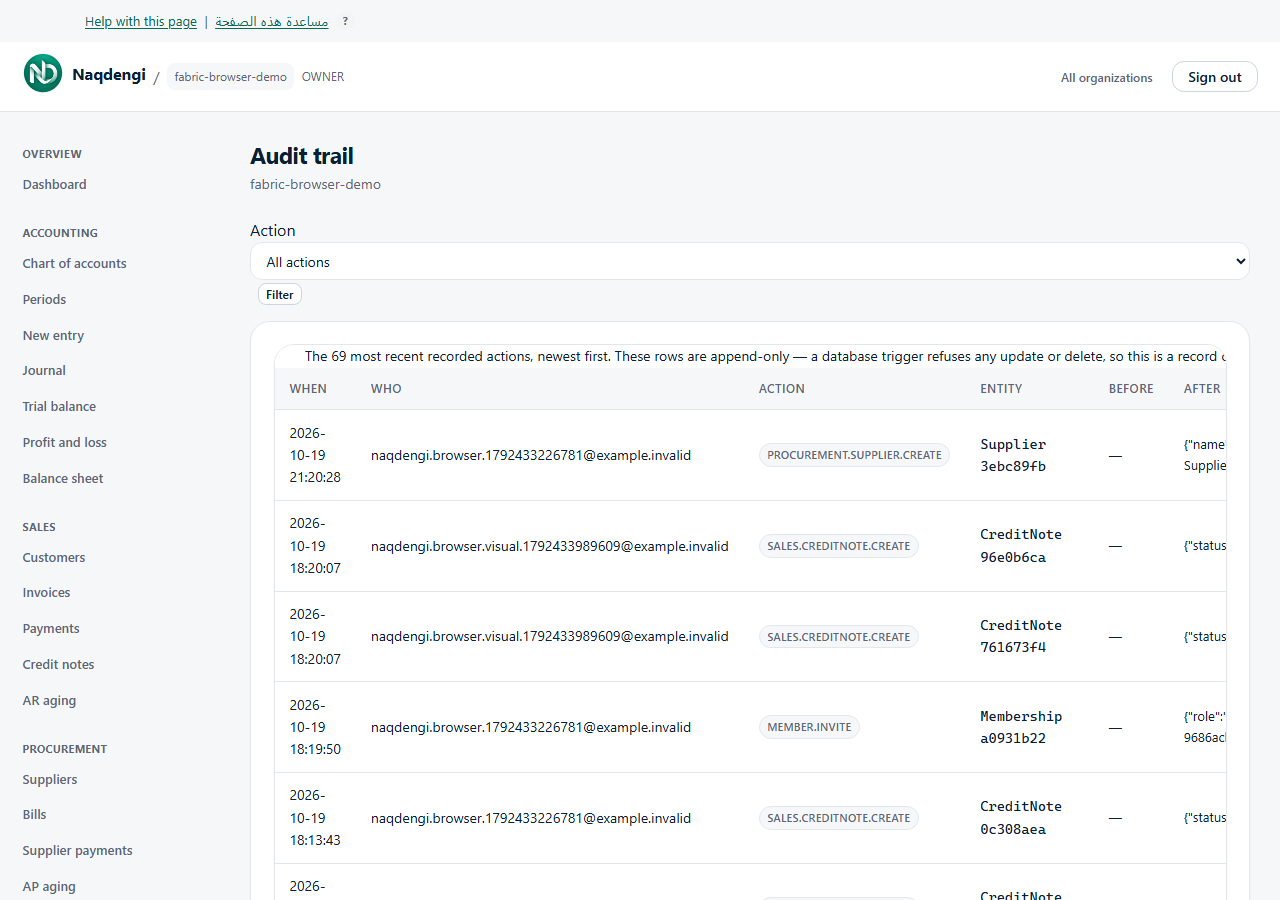
Audit trail
Read-only log of key actions for the selected company. Access requires ACCOUNTANT, ADMIN, or OWNER role in that company.
Steps
- Sign in and choose the correct company at /organizations.
- Open Audit trail from the sidebar.
- Select Action dropdown: All actions or a specific recorded action.
- Click Filter. The table shows the latest 200 rows, newest first.
- Columns: When, Who (current actor email or deleted user), Action, Entity, Before, After, Request (short ID you can quote to support).
- Empty states: Nothing recorded yet or No X events recorded.
Common problems
- Wrong company selected — return to /organizations and choose the correct one.
- Role below accountant — page shows "Your role cannot read the audit trail. An accountant or above can."
- Posting entries, changing roles, or locking periods writes records; logs are append-only and the database refuses edit/delete.
- This view is not a complete paginated history; no UI export or pagination.
- No financial editing through the audit page.
Not available
- No view of other companies or platform books.
- No edit, delete, or export controls.
- No guarantee of full history beyond latest 200 rows.