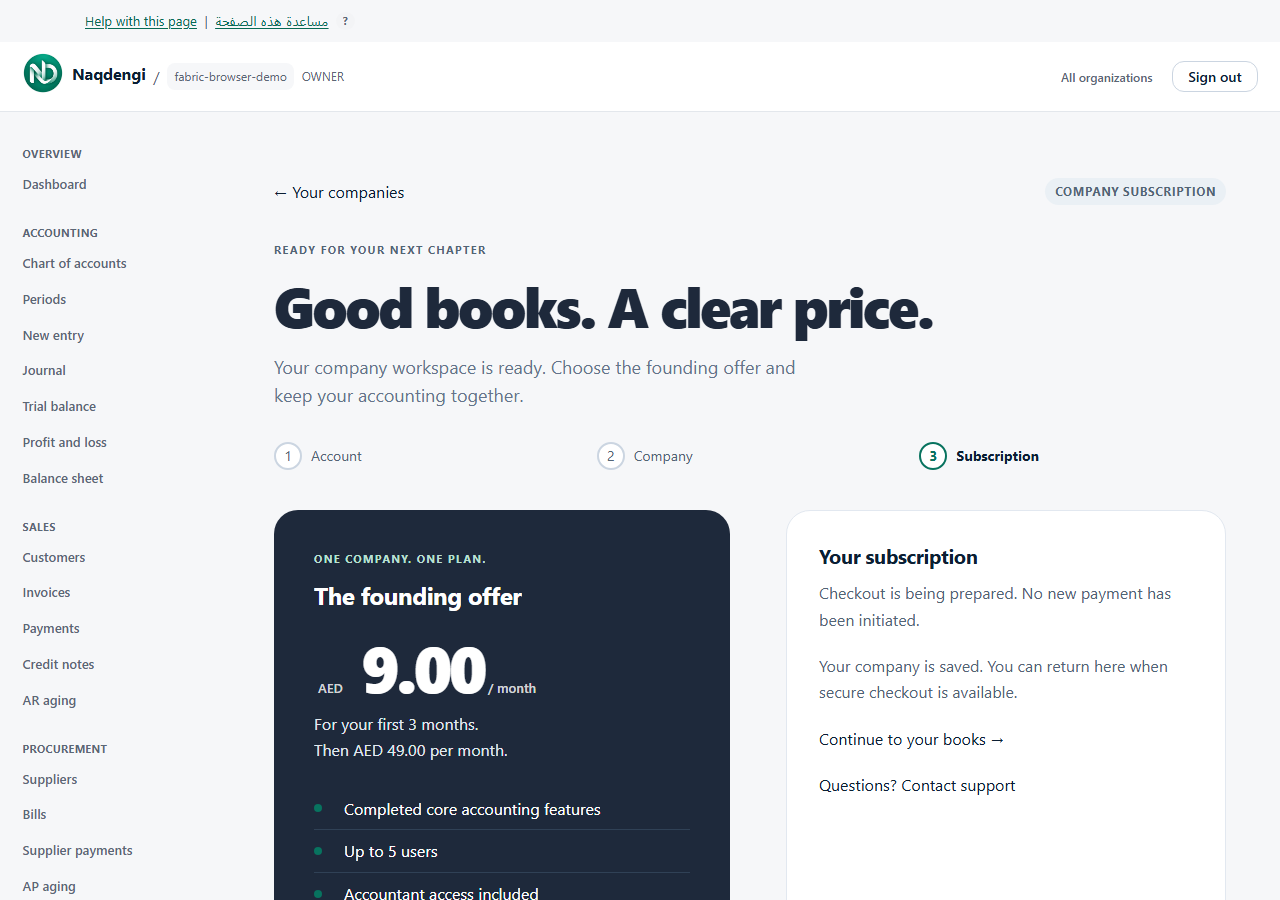
Billing
View subscription status, start a checkout, or open the provider portal. Only the company owner can manage the subscription; other roles see a notice that the owner manages the subscription.
Steps
- Sign in and choose the company at /organizations.
- Open Subscription from the sidebar.
- Read the subscription status and next billing date, when present.
- If not subscribed and email is unverified: find the Verify your email to subscribe section and choose Send secure link there. After confirming via email, click I have verified my email to refresh.
- If not subscribed and email is verified: click Subscribe securely. This opens the Dodo HTTPS checkout. The founding offer is AED 9 per month for the first 3 months, then AED 49/month; applicable taxes are added at checkout.
- If already subscribed: click Manage subscription to open the provider portal.
- Confirmation appears only after a signed provider notification. Refresh the page to check; contact support if uncertain before trying again.
Common problems
- "Checkout is being prepared. No new payment has been initiated." — checkout is unavailable; contact support.
- Test checkout does not activate a paid live subscription.
- Viewing the page alone never charges anything.
- Do not repeat checkout blindly; wait for the provider confirmation.
Not available
This page does not activate a subscription manually or file taxes. A test checkout does not grant live paid access.