Companies and workspaces
Purpose
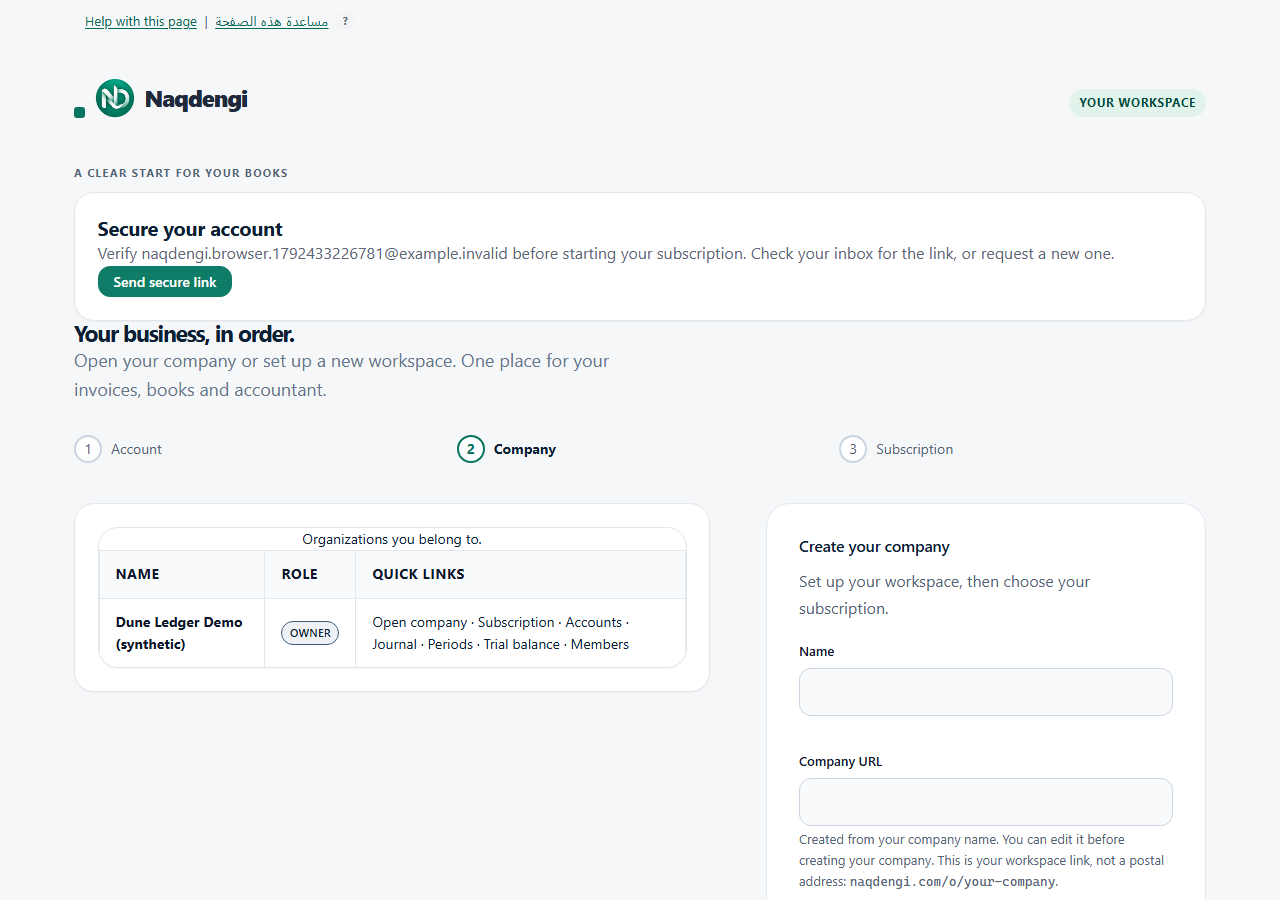
A company is a separate workspace with its own books and company-specific memberships. Use /organizations after signing in; its list contains only your memberships, with Name, Role, and Quick links.
Steps
- Sign in and go to /organizations. The list shows only companies where you are a member, including Name, Role, and Quick links.
- For an existing workspace, choose Open company in its row. A company OWNER also sees the Subscription link. Links for Accounts, Journal, Periods, Trial balance, and Members are present; access is still checked per role.
- To create a company, enter Name. Company URL is suggested from the name; you may edit it before creation. It uses 3–40 lowercase letters, digits, and single hyphens, with no leading, trailing, or repeated hyphens. This is a workspace link, not a postal address.
- Choose Base currency from AED, SAR, USD, EUR, GBP. The UI warns it cannot be changed after the first posting; this page has no currency-edit control. Choose Create organization. A saved company redirects to its Subscription page.
- The creator becomes the company OWNER. Company creation does not confirm a paid subscription or add other users. A person must register separately before an administrator adds them.
Common errors
- That company URL is already taken: add a word or number.
- Invalid details: check the URL against the 3–40 rule.
- Your session has ended: sign in again.
- Request rejected: reload the page.
- Too many requests: wait the displayed time.
- Could not reach server: check your connection; do not assume the save succeeded.
Limits
- No company rename, delete, merge, or base-currency-change workflow is offered on this page.
- Company OWNER is not the separate platform Owner Console operator.
- Company creation does not itself confirm paid status or membership for others.