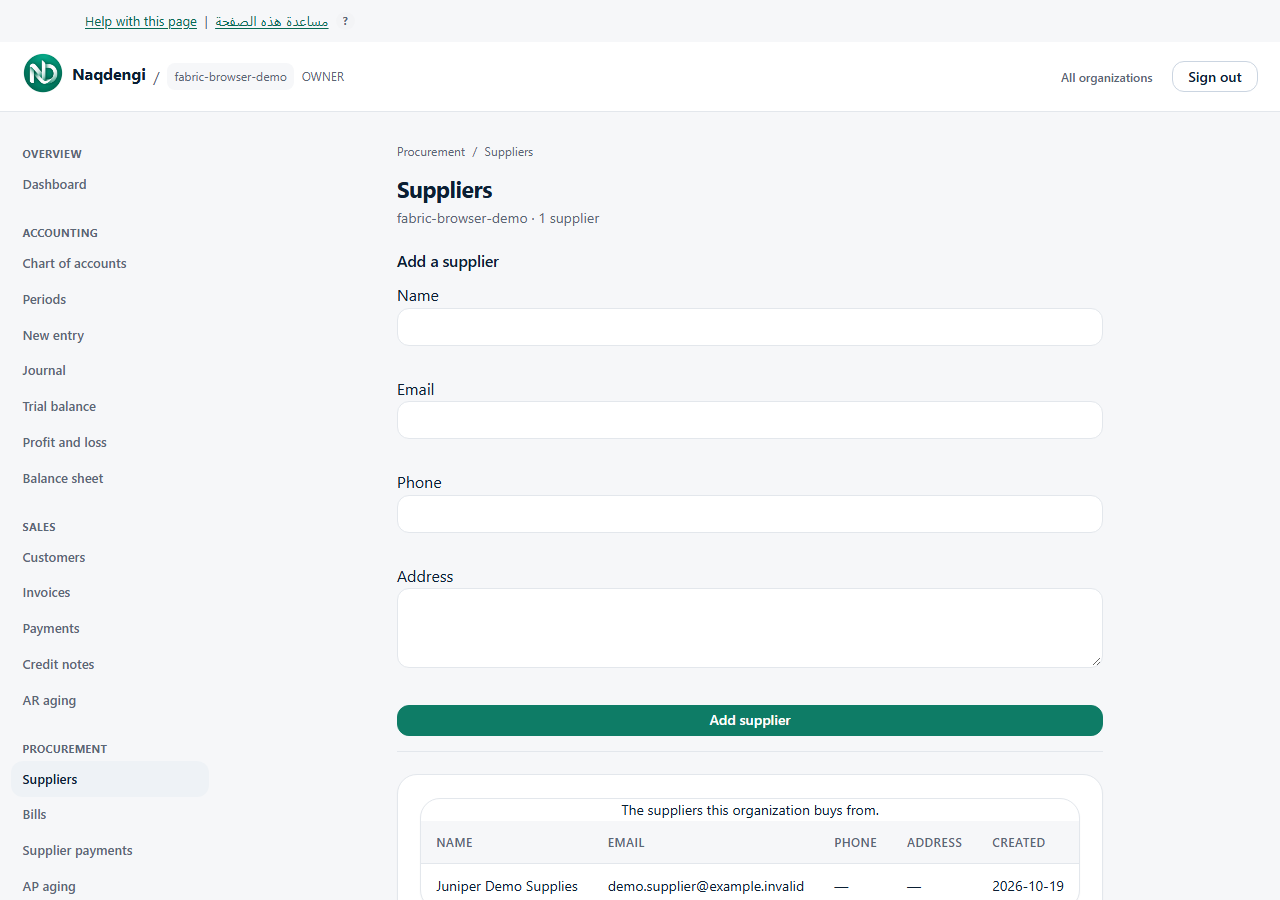
Add a supplier
Keep contact records for the businesses your company buys from. Accountant, Admin and Owner can view and add suppliers. Bookkeeper, Approver and Viewer cannot.
Steps
- Choose the correct company from your companies, then open Procurement, then Suppliers.
- Find Add a supplier on the same page.
- Enter the required Name. Email, Phone and Address are optional.
- Choose Add supplier. A successful save reloads the list.
- Check the supplier appears with the expected contact details. The table shows Name, Email, Phone, Address and Created.
Add the supplier before using New bill or recording a supplier payment. Creating a supplier is only contact setup: it does not create a bill, send a message or move money.
Common problems
If your role cannot view suppliers, ask the company owner to check your access. Invalid details, a missing company or connection errors produce notices. Check the selected company and entered fields. If the network result is uncertain, inspect the existing list before repeating the save; do not assume it failed or that duplicates are prevented.
Not available
This page has no supplier edit, delete, import or export controls. It does not provide automated supplier onboarding.