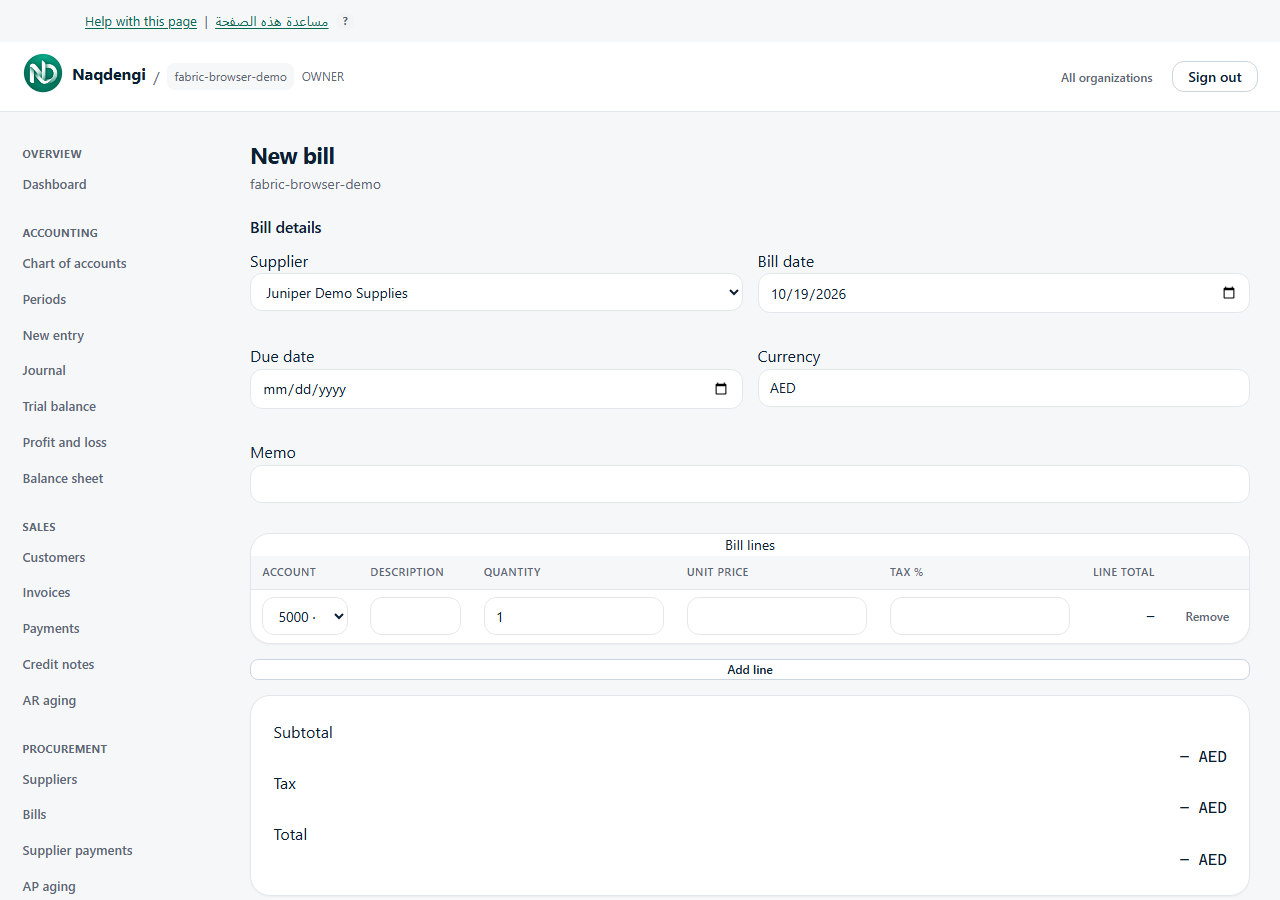
Bills
Record and post purchase invoices from suppliers. Only Accountant, Admin, or Owner roles can read, create, or post bills.
Steps
- Go to Procurement, then Bills.
- Filter the list by Supplier, Status (DRAFT, POSTED, PAID, VOID, CANCELLED), From date, To date, then click Apply filters.
- Click New bill. Select a Supplier, enter the Bill date, and optional Due date.
- Choose Currency (defaults to company base). If different, enter an Exchange rate (1 foreign = ? base) evidenced by a bank document or supplier invoice; never invent a rate.
- Add an optional Memo.
- Add at least one line: Account, Description, Quantity, Unit price, Tax %. Use Add line for more; amounts non‑negative, up to 4 decimals. Use the tax treatment supported by your business records.
- Verify Subtotal, Tax, Total, then click Save draft. This returns you to the list; the bill stays DRAFT and does not affect the ledger.
- To affect the ledger, click Post bill beside the DRAFT row. This requires an open accounting period for the bill date and valid payable/expense accounts.
Common problems
- Validation errors: check dates, accounts, exchange rate, and company setup.
- Post fails: period may be closed, accounts missing, or bill already posted.
- Network uncertainty: refresh the list before trying to save or post again.
Not available
- Editing, cancelling, or deleting a bill on this screen.
- Recording a payment or fund transfer from the bill screen.
- Export buttons.