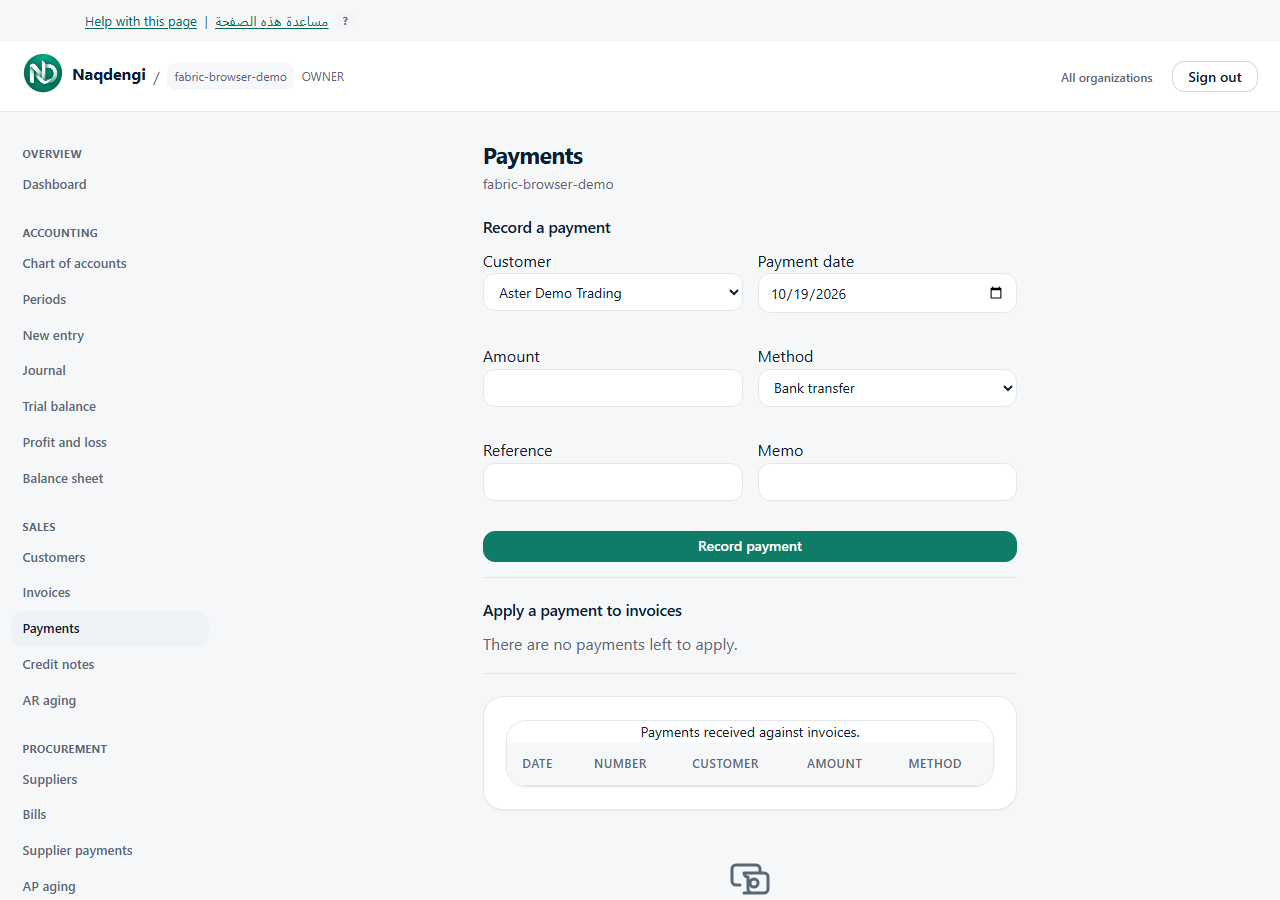
Record and apply a customer payment
Record money already received, then allocate it to invoices. This bookkeeping screen does not charge cards or transfer money. Bookkeeper, Approver, Accountant, Admin and Owner can use it; Viewer cannot.
Steps
- In the correct company, open Sales, then Payments. Add a customer first if none exists.
- In Record a payment, choose Customer, Payment date, a positive Amount with up to four decimal places, and Method. Reference and Memo are optional.
- Choose Record payment. This form uses company base currency; it has no currency or exchange-rate inputs.
- Under Apply a payment to invoices, select Payment and enter amounts against the customer's open posted invoices.
- Check Left to apply, then choose Apply payment. Each amount must fit the invoice balance; the total must fit the available payment. Applying updates the books and invoice balances.
Common problems
No open invoices or no payments left to apply means there is nothing eligible in that section. Allocations must match the actual customer and currency. Posting also needs the relevant accounts and an open period covering the payment date. Check access/session errors and verify the list before repeating any uncertain request.
Not available
There are no refund, unapply, online collection or foreign-currency entry controls here.