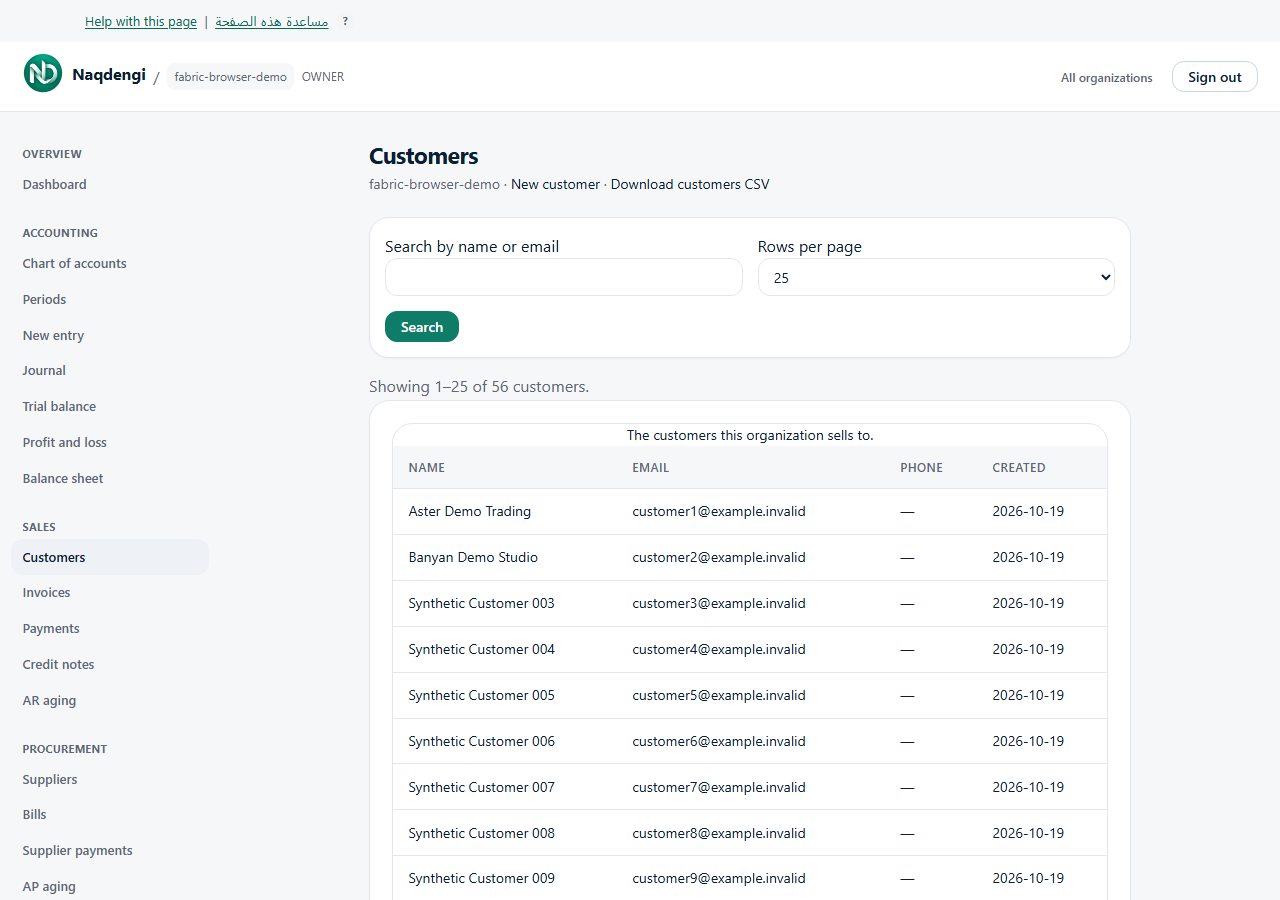
Add and find customers
Create customer records before preparing invoices. Bookkeeper, Approver, Accountant, Admin and Owner can use this screen; Viewer cannot.
Steps
- Choose the company from your companies, then open Sales, then Customers.
- Choose New customer and enter Name. Email, Phone, tax registration ID and billing address fields are optional. Country code uses two letters.
- Choose Currency, then Create customer. After success, choose Back to customers.
- Enter a name or email in Search by name or email, then choose Search. Use Clear search to remove the filter.
- Choose Rows per page, then Search to apply it. The default is 25 and the maximum is 50. Use Previous and Next to move between pages.
Download customers CSV exports the whole company directory, including contact and account fields, without balances. The limit is 1,000 customers; the search filter does not limit the export.
Common problems
Check the required name, email format and selected company. If access or session errors appear, check your role or sign in again. After an uncertain network result, check the list before creating another record.
Not available
The customer list has no edit, delete or import controls.