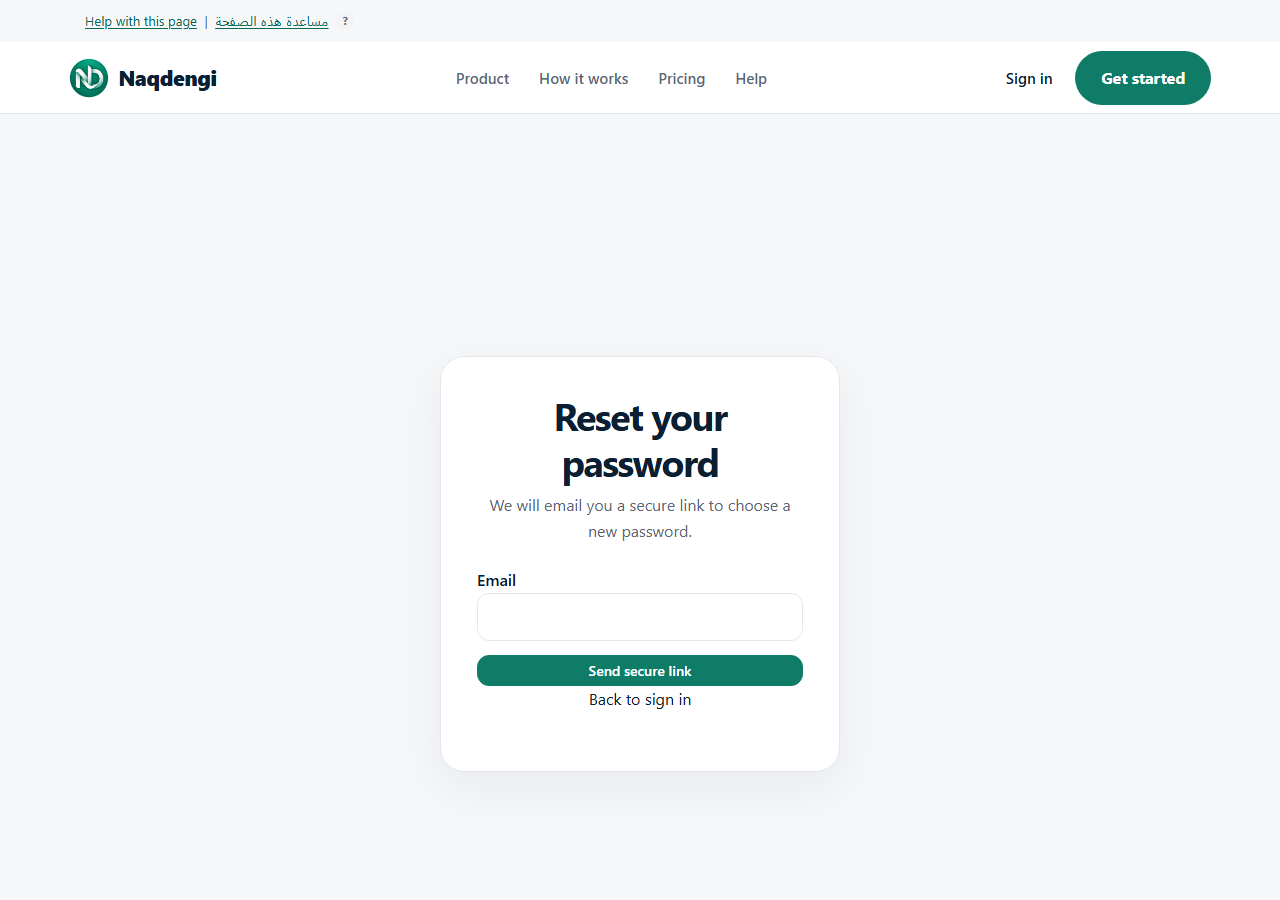
Password reset
Request a secure link, set a new password, and sign in again. The flow never emails a password.
Steps
- Go to /forgot-password (heading Reset your password).
- Enter your email and click Send secure link. The response is generic and does not confirm account existence or delivery.
- Open the HTTPS link from the email. Keep the link private.
- On Choose a new password: enter New password (minimum 12 characters, maximum 1024) and click Set new password.
- Success signs out all sessions. Return to /signin and sign in with the new password.
- The newest link expires in 30 minutes and is single-use. When a new link is issued, older links are invalidated.
- UI allows resend after 60 seconds; a 429 Retry-After may be longer.
Common problems
- Missing, invalid, expired, or reused token — request a new link; do not repeat blindly, wait for the actual countdown.
- Receiving the email is not the same as confirming the reset; complete the form.
- Email verification is a separate guide (/help/en/email-verification).
Not available
- Passwords are never emailed.
- No claim of guaranteed delivery.
This screen cannot recover an account using a username alone or confirm your email manually.